


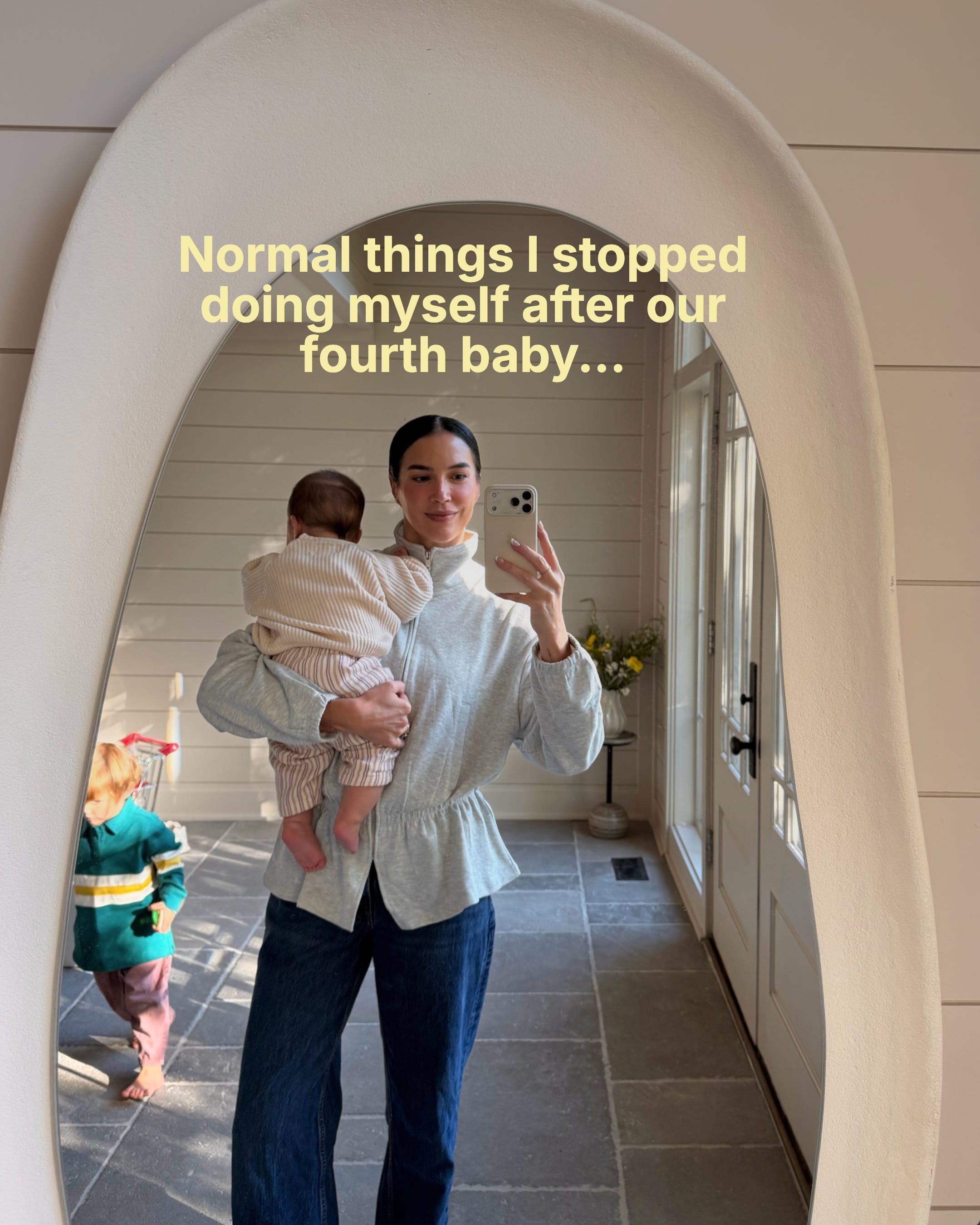
A month after Clive was born I was getting everyone out the door when I thought, I need to call to reschedule Poppy’s dentist appointment. By the time we were in the car, I jumped on a different call and forgot. I remembered right as I was falling asleep and I thought, shoot, it’s the weekend now and they’re closed! Ugh. Then the gift I kept meaning to order popped in my head and the fence quote Anthony asked me about three days before, and that’s not counting all the content ideas for our business. Everything was on a running to-do list in my notes app and calendar reminders, but that list was so long I was never getting through it in a day, and that night I knew I needed something better, more intuitive.
I’m not the most organized person but I’m VERY creative, so I’ll have all these ideas while I’m driving and then a text or an email comes in and I’ll have to get back to it after, usually writing it down in my notes (with sometimes no context). With so many ideas the decision fatigue of figuring out which one to do first was real. I’d be folding laundry and think, wait, should I really be doing this right now or should I be starting that other project I keep thinking about? Even sitting with the kids I’d catch myself thinking about what I needed to do next, which is the opposite of how I want to spend that time. I read that it takes about 23 minutes to get back into what you were doing after you get interrupted, and in a normal day being a mom to little ones that can happen every few minutes. That was exactly how it felt, and our brains can’t really multitask, we just bounce back and forth and lose a little focus every time.
When we moved from CA to TN it was for many reasons, but downsizing our lifestyle was one of them. I used to have an assistant who managed my calendar and kept track of everything in Monday.com, and a nanny I could hand the kids off to when I needed to jump on my computer. When we moved we decided not to bring that help with us. Their childhood is going to go by so fast, and of all the things to outsource, time with my kids wasn’t one of them (I learned that lesson the hard way with Jadyn (my oldest who is now in college), I felt like I was always too busy for her and on the go which I share more about in previous posts). I figured I had to be a lot more strategic with my time but I still wasn’t the most organized with it. I was winging it half the time!
Around that time Anthony was helping small businesses automate the mundane tasks that keep them running so they could spend more time on the work they love, and I said to him, why can’t we do this for our house and our own routines? What I needed was something like a house manager, with systems that stay a few steps ahead for me. And that’s what he created for me. I’m not techy at all (I joke that I’m IT challenged!), and I wouldn’t be where I am today without Anthony because I come up with the ideas and he figures out how to get it done. That’s how we started the blog back in 2013 when I had the vision for it and he built the website to bring it to life, he’s always been the systems person. So we sat down and talked through everything that was stressing me out. I wanted to be more present mentally with the kids and stop worrying that something was getting forgotten in the background. We started putting it in place before Clive was born, and as I healed and got back into my routine after, I kept adding to it once I realized how much more I needed handled automatically.
I still have my reservations about AI. Will I ever let a robot in our house? Absolutely not and Anthony agrees that’s a hard pass. But if it can take the mundane stuff off my plate so I have more brain space for my kids then yes I’m in! Anthony first built our automations with Claude Code, which is what he uses for his business clients. Last month, Meta (Facebook/IG) came out with an app called Muse, and that’s what we’ll walk you through step by step. The difference is I don’t have to keep prompting it. It’s more like having a house manager who’s already a few steps ahead and brings things to me before I think to ask. You just need to know how to set up the different automations and how to prompt it.
It’s become such a normal part of our routine now that I didn’t think twice about it until I was explaining my setup to a friend who’s also a creator, and she said “HELP, you need to show me how to do this.” She hadn’t heard of Muse or set up any automations and was mostly using ChatGPT to look things up, which is how I used it at first too. And when I told Jadyn what we were working on, she asked me “wait, what’s automation?” With how much we hear about AI now I assumed more people were using it like this, but those conversations made me realize not everyone is using it like this at all. It could help so many moms, especially if you don’t have help at home or someone to think through these systems with you. Anthony has become the go-to for our friends whenever they’re stuck with AI, so we’re teaching it together step by step so you can set it up too.
Here’s the normal things I stopped doing myself:
I stopped trying to remember it all.
Now when something pops into my head I press the action button on the side of my phone and create an actionable voice note. For example “Book Poppy’s dentist for sometime in November.” “Remind me Thursday to pull the frozen meat out for stew.” “Sometime this month I need to research best low tox gift ideas for kids”
From there it takes care of the rest. Each note gets sorted into the right category and any day I mention either goes on my calendar or becomes a reminder. Every morning I see my top three things that NEED to get done that day based on priority. This is super convenient when I’m out with the kids or in the middle of something because I make the voice note and move on with my day knowing it’s being handled in the background.
Anthony put together a how-to guide for this one, so if you want to set it up yourself you can sign up here and we’ll send it to you.
I stopped trying to remember the priorities of the day.
At 6pm every evening my automated routine sends me a short recap showing what got done that day and what’s still open. That includes everything from my voice notes along with reminders from the other automations I’ll explain below. Then at 6:30am the next morning it sends me my top three for the day that have to be completed, already in order so I know which one comes first.
Now I wake up to three things and a clear place to start. You can choose how many priorities you want each morning but three has worked well for me, and I’ll show you my system for it.
I stopped trying to keep up with my inbox.
Not all emails need a reply but there’s still something I want to remember, like a seasonal event I don’t want to forget or a sale coming up that I don’t want to miss. Those little things were easy to lose track of in between everything else.
Now my automated routine goes through my emails as they come in and flags what needs me, without deleting or moving anything. Anything that needs a response gets flagged first, and the ones that just need an action later get turned into a reminder for the right day. If something is waiting on a reply from me it stays on my list until I answer it, and if I emailed someone and never heard back it reminds me to follow up. I can also ask if there’s anything I need to respond to right away.
So in the morning I know which ones need a response and will prioritize by importance. Plus not forget action items for the other things in there (like that sale!).
I stopped losing my ideas.
Anything I say in a voice note that starts with “idea” is automatically saved to its own list. Then every Thursday my automated routine emails me all of that week’s ideas so I can go through them and decide what to keep. I like getting all my ideas out when they come to me and reviewing them later to decide which ones I’ll act on and which ones can wait. Some of them I end up deleting off the list after seeing all of them as an overview. It helps me seeing it all in one place.
I stopped saving IG posts I’d never find again.
I’m a serial saver and SO many of my saves end up buried in a folder I never open again. I even file them into different categories, but when I go back to look I can’t remember which one I put it in. Now my automated routine keeps track of my saves for me. When I need one I just ask something like “what’s the paint color I saved last week?” and it pulls it right up. I still save it, but if it’s not in a perfectly categorized folder, I know I can still find it easily at a later date. I will also during brainstorming use this to grab ideas, like pull any of my saved paint posts. I have the report sent via email with links to the posts.
I stopped running our calendar by hand.
With everyone’s schedules and both our personal and work calendars, it’s easy for things to overlap. My automated routine reads the details of the event or appt and adds to our calendar for me. If it overlaps with something we already have, it lets me know before adding it so I can decide what to do. It also blocks off the drive time so I know exactly when we need to leave. My work blocks and my own time are already on there, so it schedules everything else around them.
Then every Friday EOD I ask it what the following week looks like and it gives me an overview. It tells me which days are too full and flags anything I need to prep ahead, whether that’s a gift for a birthday or the supplies for a recipe I’m baking that week or an appointment I need items for before we go.
I stopped keeping track of seasonal activities myself.
There are so many things to manage and not miss, especially during the busy holiday seasons. My automated routine keeps a running calendar of seasonal activities like all the fall festivities starting here. When I see an IG post or an email about something fun I let my automated routine know. It also searches our local area for events that are a good fit for my kids’ ages.
Two weeks before anything comes up I get an email with what’s coming and a plan for it. For October it sent me the pumpkin patches near us with their hours, which ones are best for little kids and which weekend we had open to go. For birthdays it reminds me to order the gift in time. If your kids are in sports or school activities this would work well for those too. It’s always thinking ahead of schedule.
I stopped the 5pm “what’s for dinner.”
So many of you told me meal planning is your biggest struggle, and it used to be mine too! I want my kids eating nourishing meals but weeknights need to be quick. Once a week I just say “plan my week” and my automated routine picks five easy seasonal dinners from our usual rotation, and I swap out anything that doesn’t sound good that week. It checks against the stock list I update once a month, then gives me one grocery list that marks what to pick up at the farmers market and what goes on our delivery order, plus a reminder when to place it.
Because our dinners come from the same rotation I’m not buying random spices for one-off meals anymore. It also means I can buy our organic staples in bulk, which I’ll share more about in a future post. This system is working really well for us.
I stopped tracking packages in my head.
We order from so many places, and none of those apps talk to each other or tell you when a return window is about to close. My automated routine pulls every order confirmation from my email into one list, whether it’s from Amazon or Target or various shops, so I can see what’s arrived and what we’re still waiting on without checking multiple apps. Sometimes a small package never shows up and I don’t realize it until it’s too late to do anything about it. It flags anything that should have arrived by now and keeps an eye on return windows, so the package that never came doesn’t turn into money we lost.
I’m assuming this will be especially helpful at Christmas with orders coming from so many different shops, excited to have a better system to track it! Last year I was doing it all via notes and marking them as they got delivered (but would forget to mark some when they came!) Not the best system.
I stopped letting subscriptions ride.
Once a month my automated routine scans my email for receipts and renewal notices and pulls every recurring charge into one list, from streaming services to the apps I signed up for once and never used again (the amount of times I do this!). It sends me that list with what each one costs and when it renews next, so I can catch the ones I don’t use and keep paying for what we love. The list shows up on its own so I never have to remember to go looking, and all I have to do is make the decision on what to keep.
I stopped spending hours researching.
When we need to look into something I mention it in a voice note while I’m going about my day, and my automated routine takes it from there. Later there’s a “findings report” in my email with the top pick, pros and cons, customer reviews/ratings and the best price. Most recently we were comparing new family cars, so it pulled together the safety reviews for each one we were considering. It also looked into whether dealerships had end of year offers and whether certified pre owned would be the better choice for us based on how well it holds its value. What I got back was a short summary of what it found, so I could decide on the next step without feeling overwhelmed (and yes it’s best to negotiate end of year! so we’re waiting until then).
It’s just as helpful for house maintenance and anything that needs a quick decision but I don’t want to be on my phone doing the manual typing and want to review at a later date.
I still have days where the kids need me in five directions at once, but I’m not having to remember all the little things that keep our house running smoothly. And this is not all perfect! It’s a work in progress as we continue to learn what works best for us, the cool thing is you can customize it to what works best for you. I would try things for a week and then think, no, this needs a tweak, and Anthony would figure it out for me. Recently it even rescheduled a passport appointment for me. I used a voice note to say “remind me to reschedule my passport appointment,” and later it asked if I wanted it to handle it for me. Could I have done it myself? Of course! But I’d rather let my automated routine do it so I can spend that time on something else.
Anthony put together a step-by-step guide for each of these so you can set them up too, and the first one on voice notes is out now. Sign up here to get it and be notified when the next one drops!
Thank you for being here!
xx Brittany